A surprising number of businesses that have an app give it one line on the website: "Download our app." There is no explanation of what it does, which phone it works on or how to install it. Then they wonder why few visitors download it. An app download page is a small landing page with a single job, and it should be planned like one. This guide sets out what such a page needs to answer, in the order a visitor tends to ask.
The advice applies to any app, from a booking tool for a local clinic to a loyalty program for a chain of cafés. It also applies when the app is only available as a file from your own site, which raises extra questions for the visitor.
Start With What the App Does
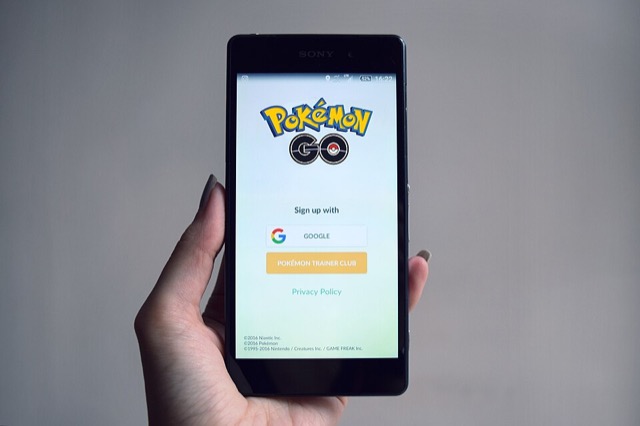
Visitors want to know why they should install anything. Put the answer in the first screen: one sentence on the main benefit and two or three specific features. "Book and change appointments in two taps" works better than "a powerful solution for your needs." Add a screenshot or a short clip of the real app, because a picture of the screen answers more questions than a paragraph of copy.
Say Which Devices It Works On
The next question is whether it will work on the visitor's phone. State the supported systems plainly, and show the right button for each: the App Store link for iPhone, the Google Play link for Android, and a clear alternative if the app is not in a store. If someone opens the page on a laptop, offer a QR code or a way to send the link to their phone. A page that detects the device and shows the most relevant button reduces the number of steps.
Explain the Install Steps If They Are Not Obvious
When an app comes from a store, the steps are familiar and need little explanation. When it is delivered as a file, as some are in markets where a store listing is not available, the page has to do more. A Spanish-language page about the cloudbet app for Mexico is an example of this style: it is built around how a reader gets the app on a phone in that market and what to expect. Whatever the product, the structure is worth borrowing. Number the steps, show what each screen looks like, say which permission the phone will ask for and why, and tell the visitor how to turn the permission off afterwards.
Build Trust Before You Ask for a Download
Installing an app is a bigger commitment than visiting a page, so the visitor needs reasons to trust you. Show who publishes the app, give a real contact address and link to your privacy policy. List the permissions the app uses and explain each in a sentence. If you have store ratings or reviews, quote them accurately and link to the source. Avoid claims you cannot support, such as "the best app in Australia."
Answer the Common Questions
- Is it free, and are there in-app purchases?
- Does it need an account, and how is my data used?
- How do I update the app, and how do I remove it?
- Who do I contact if something goes wrong?
- Is there a web version if I prefer not to install anything?
A short FAQ at the bottom of the page does more for conversion than another banner. It also helps search engines understand the page, because real questions use the words your customers use.
Measure the Page Like Any Other
Track how many visitors reach the page, how many tap a download button and, where the platform allows it, how many installs follow. Compare the rate before and after each change, and change one thing at a time. If many people tap the button but few install, the problem is likely on the store listing or in the install steps. If few tap, the problem is the page. This is the same simple routine we describe in our guide to measuring marketing results without a data team.
A Quick Checklist
- One clear benefit in the first screen, with a real screenshot.
- The right download button for each device.
- Step-by-step install instructions if the app is not from a store.
- Publisher details, privacy policy and permissions explained.
- A short FAQ and a contact route.
- Tracking in place before the page goes live.
Get these right and the download page does its job quietly. The visitor understands the app, trusts the source and finds the button in the right place, without needing to ask anyone.
Planning an App Page?
If you would like help planning the page for your own app, our team can work through the structure with you. Take a look at our marketing services or get in touch for a chat about where you are now.